What is employee monitoring software? A practical guide
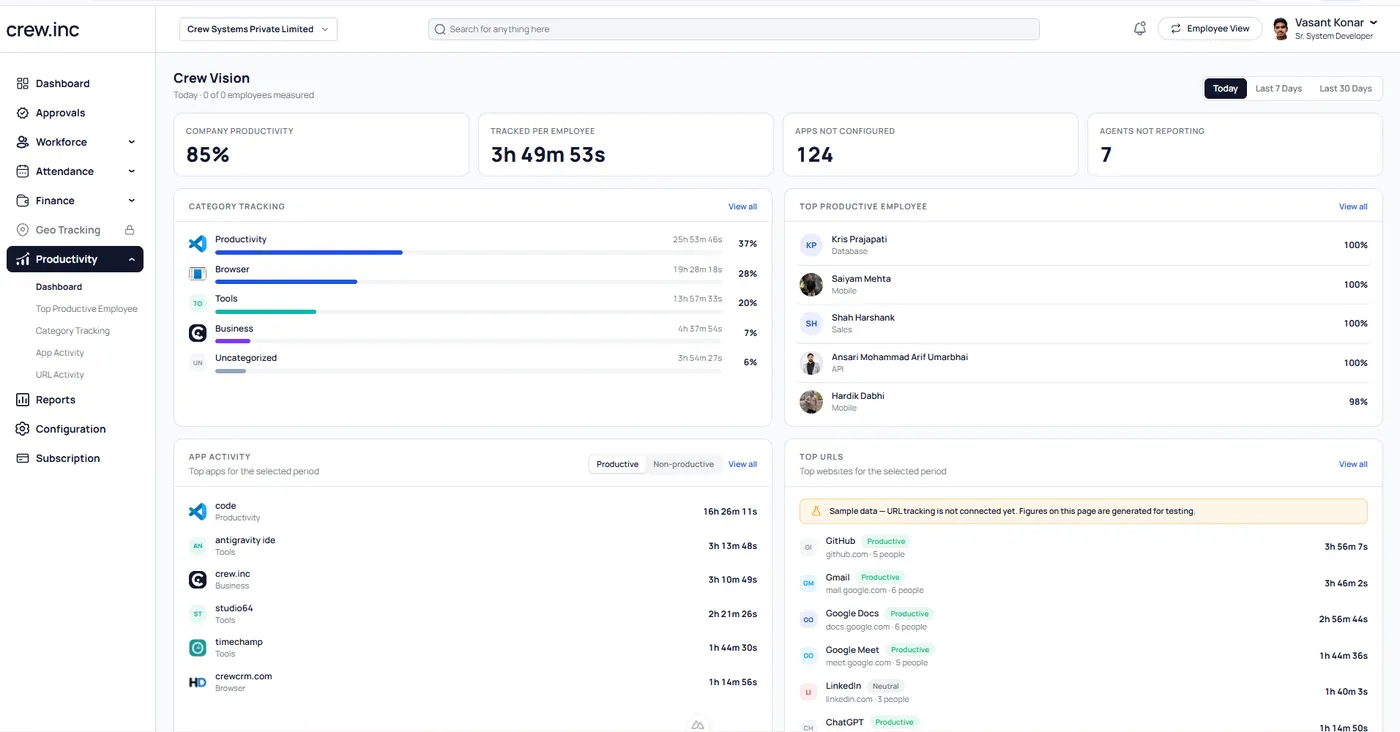
Employee monitoring software records how work devices are used during work hours: which apps and websites are open, how much time is active or idle, and, in many tools, periodic screenshots. Companies use it to understand productivity, balance workload and spot problems early. Some tools, like Crew, also track field employees by GPS.
What does employee monitoring software track?
Most tools cover the same core signals. The differences are in depth, privacy controls and what else comes with them.
- App and website use: time spent in each application or site, by person and team.
- Active and idle time: when the computer is in use and when it is not.
- Screenshots: periodic captures of the screen during work hours.
- Productivity scores: time sorted into productive, neutral and unproductive by rules you set.
- Location: for field teams, GPS routes and verified visits on a phone.
Why companies use it
As teams spread across offices, homes, plants and the road, managers lose sight of how the day actually goes. Monitoring brings that visibility back. Used well, it helps with workload planning, fair performance reviews, billing accuracy and catching burnout or disengagement early.
Is employee monitoring legal?
In most countries it is legal to monitor company devices during work hours, but the rules differ. In the EU and UK, the GDPR requires a lawful basis, clear notice to employees and proportionate tracking. In India, the Digital Personal Data Protection Act, 2023 sets rules on processing personal data. This is general information, not legal advice; check the rules where your team works.
How to roll it out without hurting trust
- Tell people first. Explain what is tracked, when and why.
- Let employees see their own data. Self-view turns monitoring into feedback.
- Track work, not people. Limit tracking to work hours and work devices.
- Restrict access. Only the people who need screenshots should see them.
- Use the data to help. Coach and rebalance work; don’t just punish.
How to choose a tool
Start with your teams. If everyone works at a desk, a desktop monitoring tool may be enough. If you also have field staff or plant workers, look for one system that covers desktop activity, GPS tracking and attendance, so you are not stitching together three products.
Questions to ask vendors
- Which operating systems does the desktop app support?
- Can employees see their own data?
- Who can view screenshots, and is access role-based?
- Does it handle field teams and attendance too?
- How long does setup take, and do you migrate our data?
Frequently asked questions
Can employers see everything I do on a work computer?
Monitoring tools usually record app and website use, active time and screenshots during work hours on work devices. Good tools let employees see their own data.
Is employee monitoring the same as spyware?
No. Legitimate monitoring is disclosed to employees, limited to work, and access-controlled.
Does monitoring improve productivity?
It can, when used for coaching and workload planning rather than punishment.
What is the difference between time tracking and monitoring?
Time tracking records hours worked. Monitoring adds what those hours were spent on, such as apps, sites and screenshots.